Soledad Documentation
Set up Instagram display areas, including footer Instagram integrations.
36 articles across 15 sections.
How to Set Up Instagram
Soledad theme supports you to display Instagram images from your Instagram account. You can display it on the: Top Of the Page or Sidebar or Footer or other places if you're using Elementor or WPBakery Page Builder.
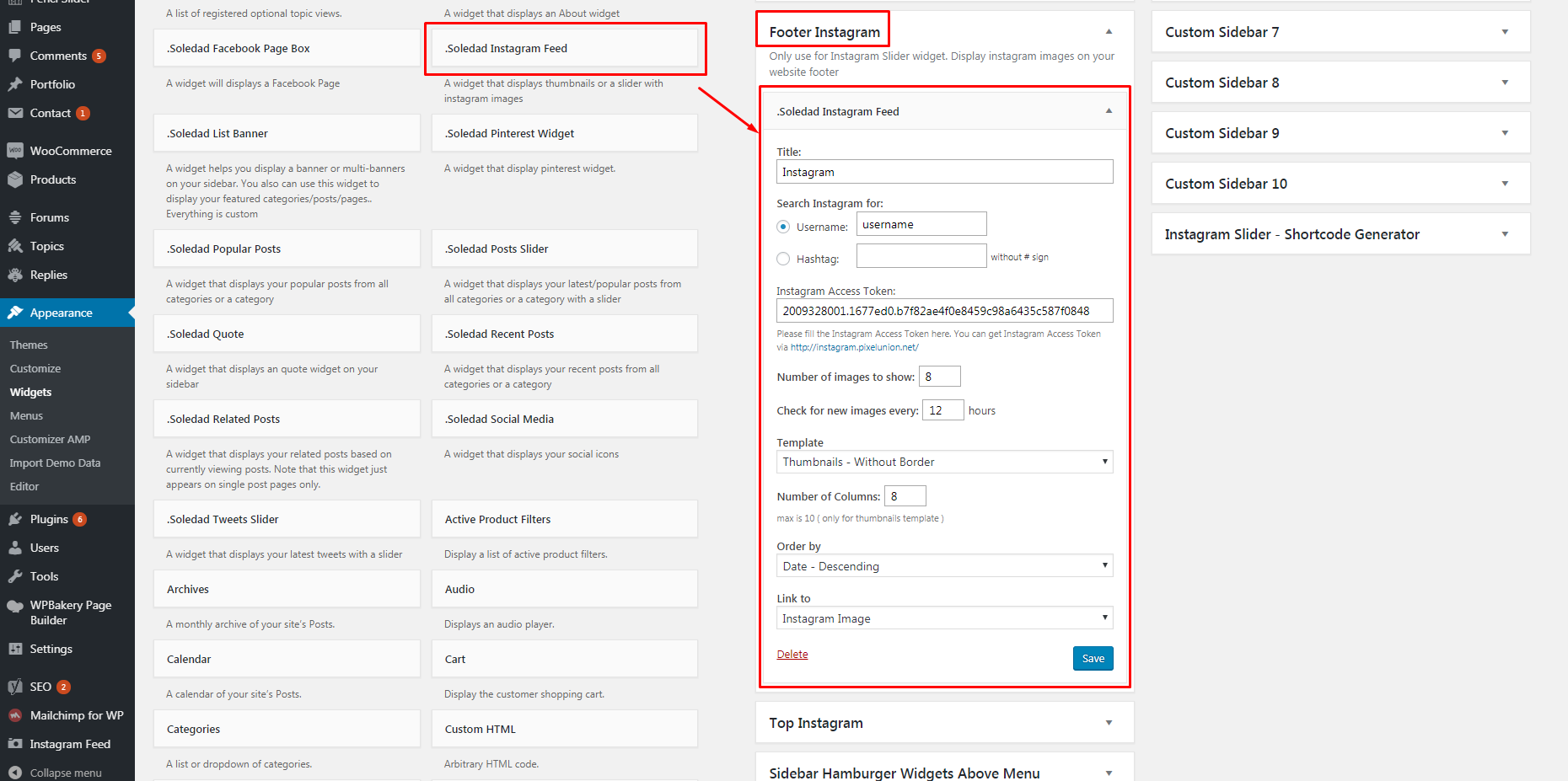
To config it, you just need to go to Appearance > Widgets > drag & drop widget "Soledad Instagram Feed" to the place you want it to be displayed.
If you want to display the Instagram on the top of the page, you can drag & drop the widget to sidebar "Top Instagram"
If you want to display the Instagram on the sidebar, you can drag & drop the widget to sidebar "Main Sidebar"
If you want to display the Instagram on the footer, you can drag & drop the widget to sidebar "Footer Instagram"
Example a config for Footer Instagram:
Click the image to view a larger version.