Soledad Documentation
Configure page options, sidebar page templates, blog pages, and page-level settings.
36 articles across 15 sections.
Pages
You can go to Appearance > Customize > Page to check general options for your Pages.
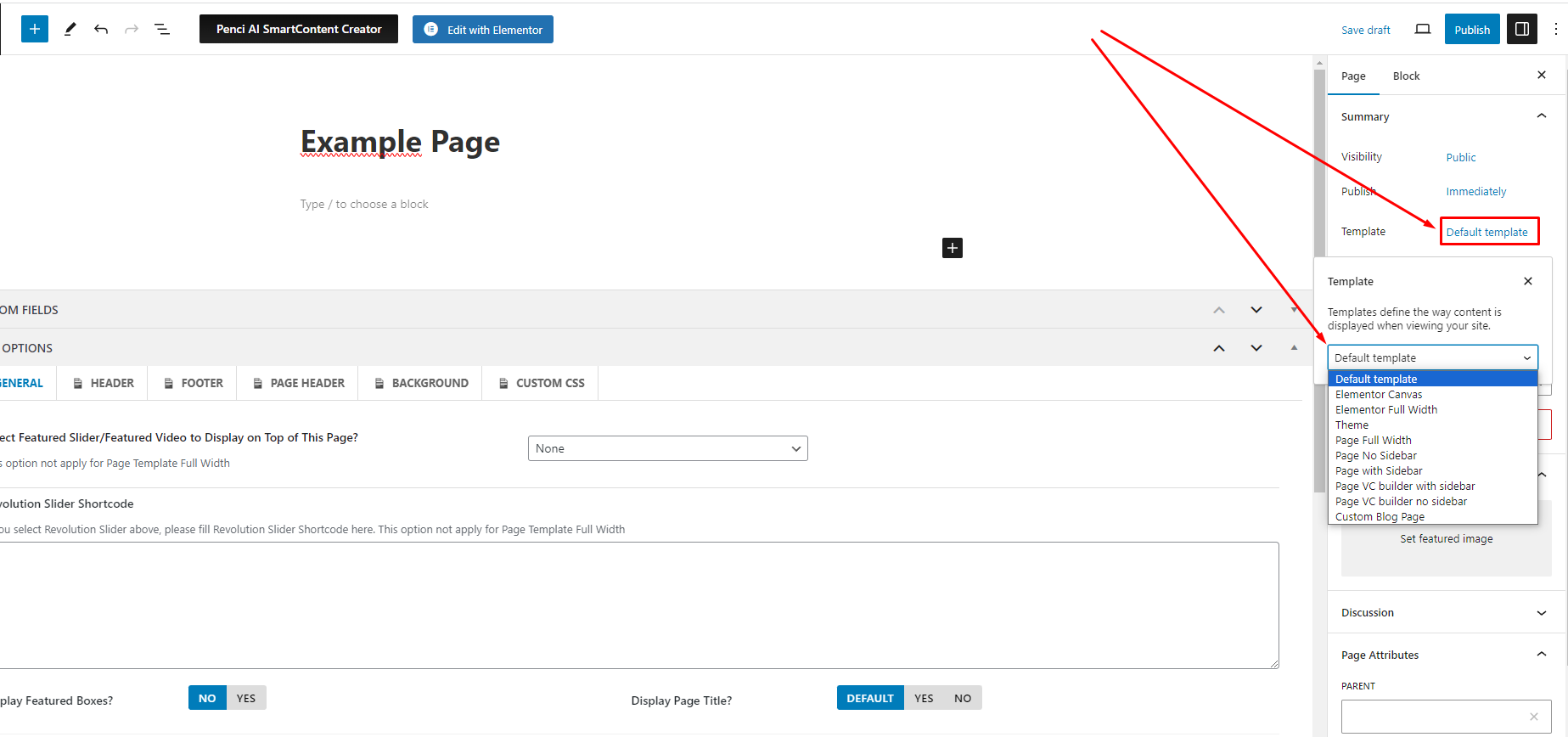
If you want to display sidebar/ no sidebar for a special page - You can select page template for that page is "Page With Sidebar" or "Page No Sidebar". Check the detail on the image below.
If you want to make a blog page that displays all the latest posts, please go to Pages > Add New > Add new a page and choose Template for it is "Custom Blog Page". The "Custom Blog Page" will follow the layout you've selected on Customize > General > Category, Tag, Search, Archive Pages > Category, Tag, Search, Archive Layout
Also, when you edit a page, you can scroll down and use more page options there.
Click the image to view a larger version.