Soledad Documentation
Customize single post layouts, post templates, related posts, post formats, and post display options.
36 articles across 15 sections.
Post Pages
We provide multiple layouts to change so you can tailor the look of your post. Please go to Appearance > Customize you can see options for Posts Layouts. You can hide/show, customize different elements on the post page..
For customzing Single Post Pages, you can go to Appearance > Customize > Single Posts to show/hide and customize elements on a single post page.
For get the best result, you should set a featured image for each post and select featured images for your posts with at least 1170px width and 780px height.
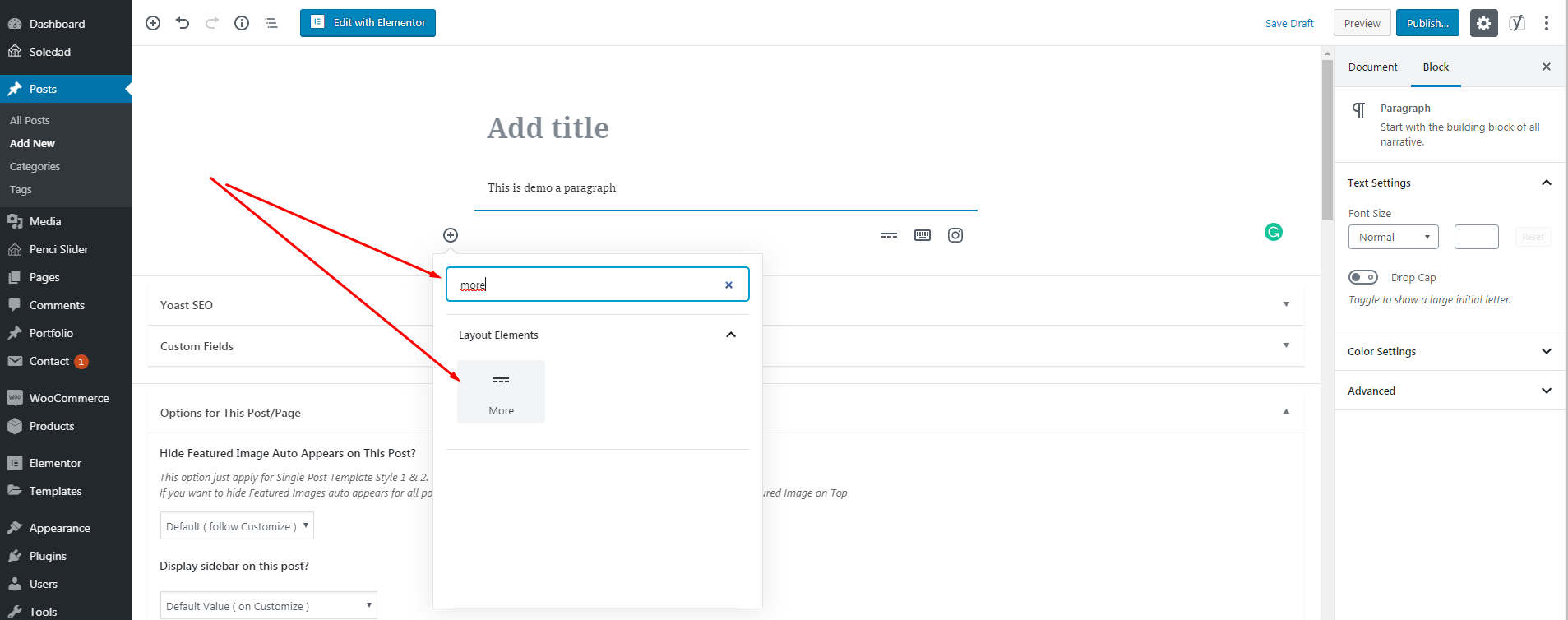
To create a "Continue Reading" button on Standard or Classic layout, you can go to Customize > Posts Layouts > Standard & Classic > check to "Display Post Excerpt Instead of Full Content" or use More element to create Read More - check image below:
Click the image to view a larger version.
Single Post Pages Builder
From Soledad 8.1.3 - we've added the template builder for Single Post Pages to help you can build your own single post pages the way you want.
To get it works, please do follow steps below:
-
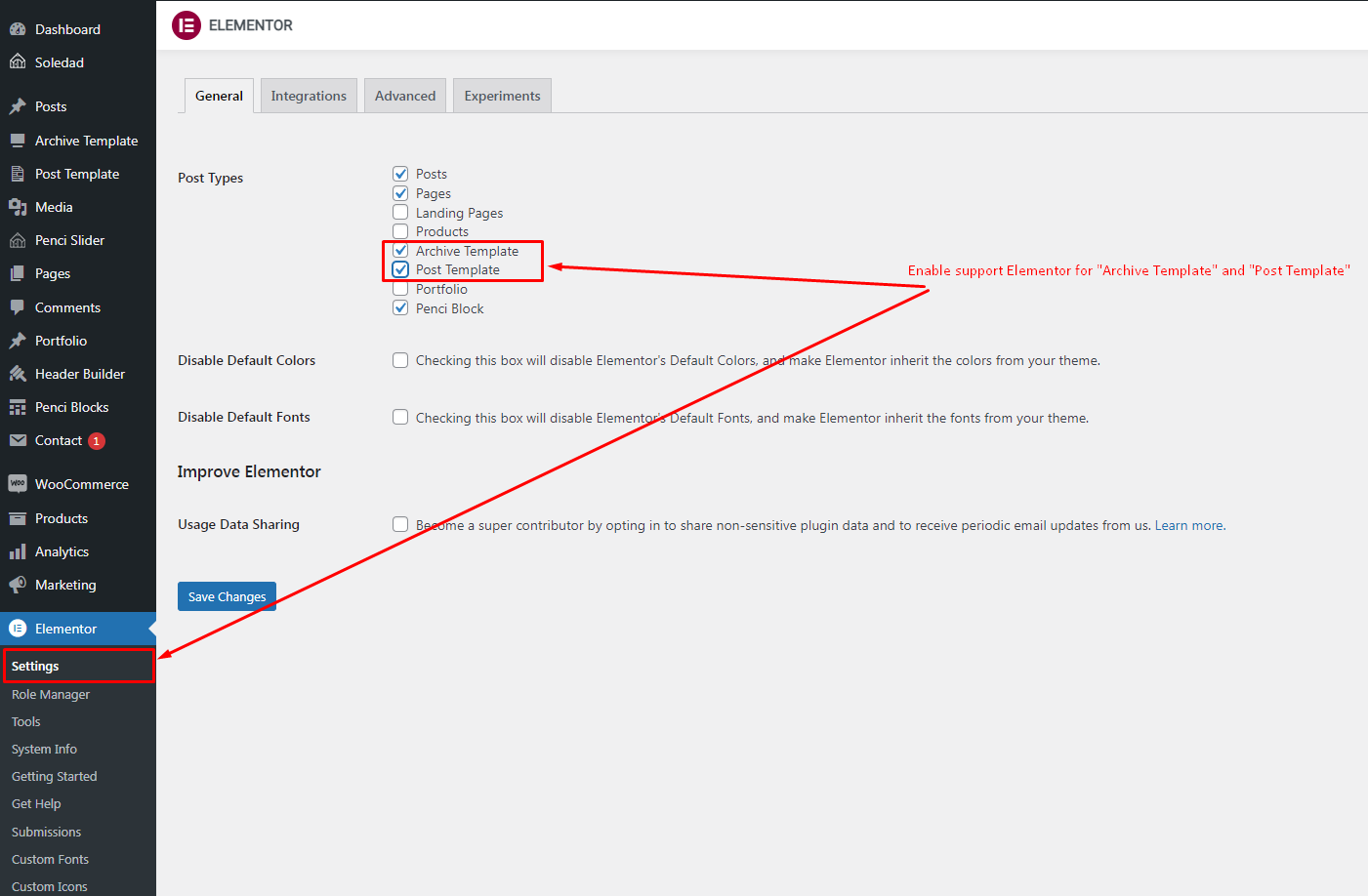
Step 1: Go to Dashboard > Elementor > Settings and enable support Elementor for Post Template
Click the image to view a larger version.
-
Step 2: Go to Dashboard > Settings > Permalinks and click "Save Changes" to make sure the permalinks updates for the "Post Template" post type.
-
Step 3: Build your own Post Templates Go to Dashboard > Post Template > and add new Post Template and set a Name for this Post Template then publish & edit this template by using Elementor. When you edit this template by using Elementor, you can use widgets from Elementor like:
-
"Post - Breadcrumb", "Post - Title", "Post - Subtitle", "Post - Featured Image", "Post - Featured Image Overlay", "Post - Meta",...: to get the post data showing on your single post pages
-
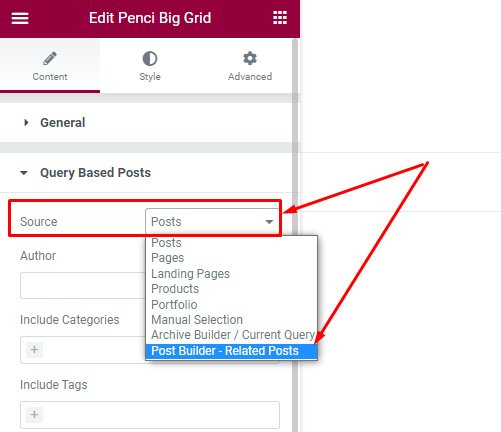
You also can use Elementor posts widgets: "Penci Big Grid", "Penci Featured Slider", "Penci Latest Posts", "Penci Featured Cat", "Penci Small Lists"... or other Posts Widgets: to get the related posts showing. Just need to make sure on the "Query" of those elements, you've selected "Source" is "Post Builder - Related Posts". Check the image below:
Click the image to view a larger version.
-
-
Step 4: Select Post Template for Display Go to Dashboard > Appearance > Customize > Single Posts > General > on "Custom Post Builder Template" and select the template you want to use for Single Post Pages. Also, you can select a custom post builder template for specific posts by going to Dashboard > Posts > Edit a post you want to change the post builder template > scroll down on "Custom Post Builder Template for This Post" and select the template as you want.
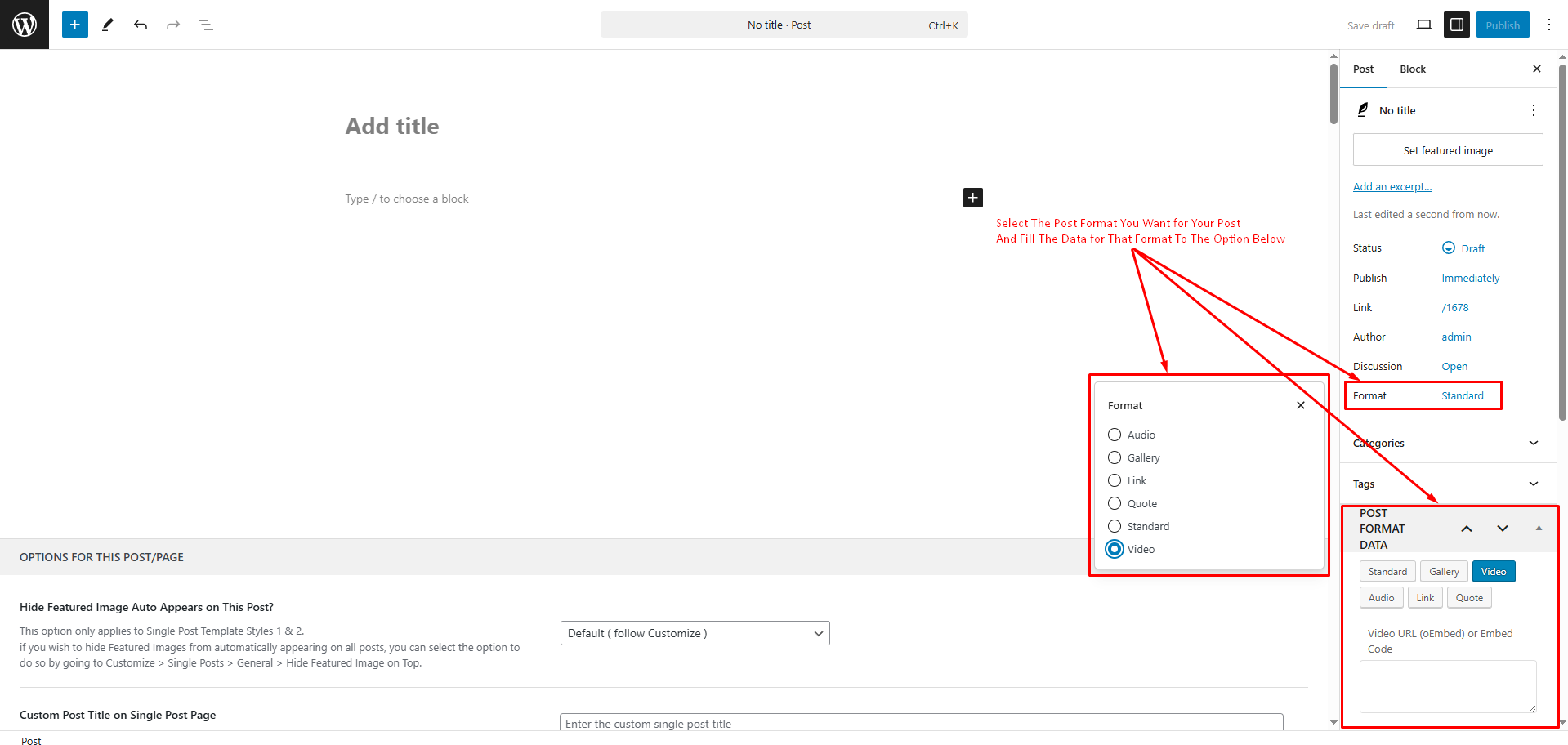
How to create different post format?
Soledad comes with 6 different post formats: Standard, Video, Gallery, Music Posts, Quote and Link. We're using plugin Vafpress Post Formats UI to help you create different posts format. You can install this plugin via Appearance > Install Plugins. After install & activate this plugin, you can create a post format by do follow the image below ( it's an image on edit a post screen ):
Click the image to view a larger version.