Soledad Documentation
Set up Penci Live Blog for live events and automatically updated article timelines.
36 articles across 15 sections.
How To Create Live Blog
Another exclusive feature from Soledad - Live Blog. We have developed a plugin called "Penci Live Blog" - This is a plugin that allows you to create a "Live Blog" - automatically updating news articles from a football match or live events, enabling your readers to receive the latest updates without having to refresh the article.
To activate this feature, you need to install the plugin "Penci Live Blog" - you can install this plugin through Dashboard > Appearance > Install Plugins.
After installing the plugin, go to edit a post, then scroll down, and you will see the options for "Live Blog" as the image below:
Click the image to view a larger version.
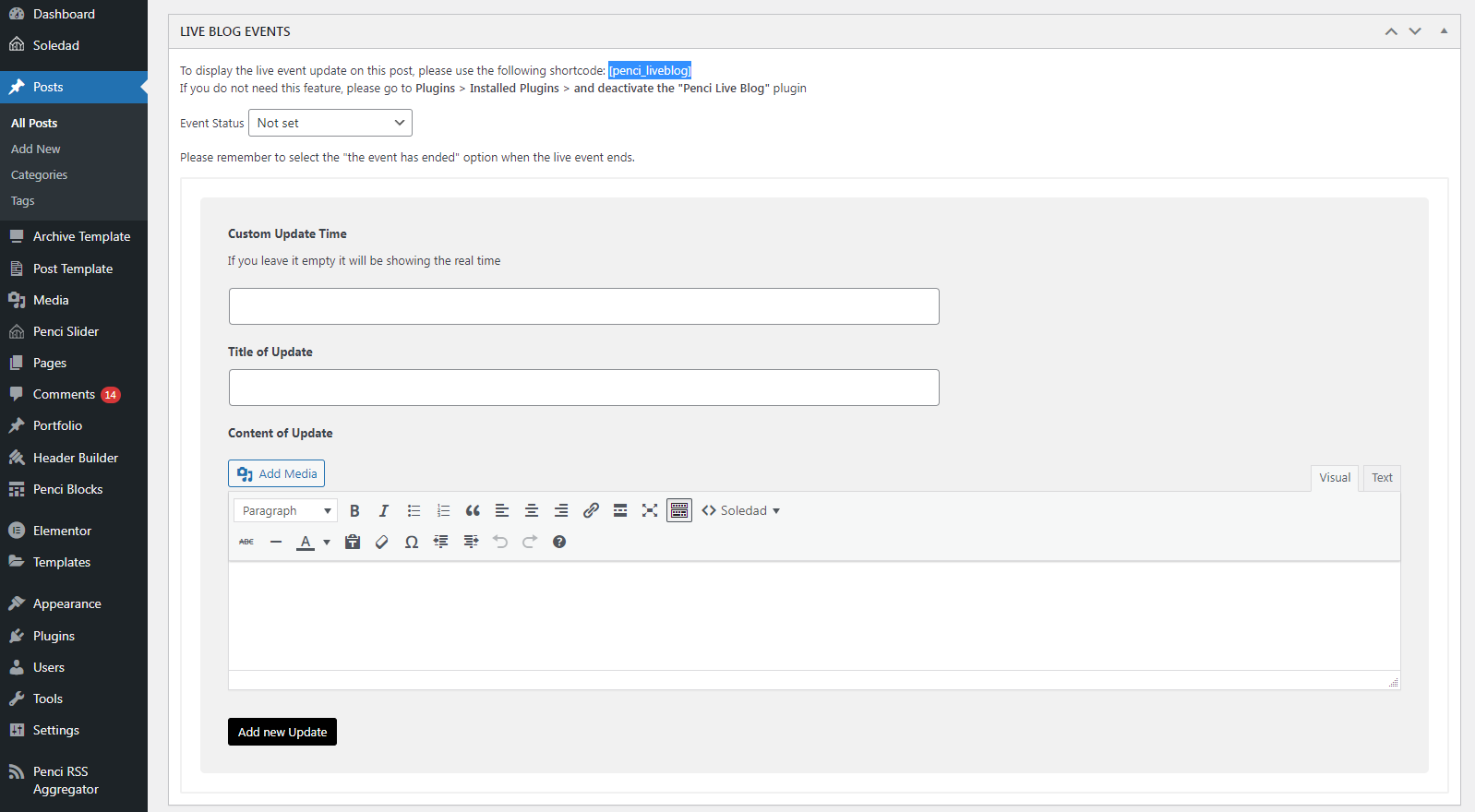
It's easy to understand the options there. Here are more details:
- Live blog shortcode: [penci_liveblog] - Insert this shortcode into your post content where you want the live events to appear.
- Event Status:
- If the event is happening, select the event status as "The event is happening" (e.g., Getting ready for a football match).
- If the event has ended, change the event status to "The event has ended" (e.g., When a football match has ended).
- Add time, title, and description for each timeline - this helps your readers stay updated on the events.
And you can check more options to adjust the live blog via Appearance > Customize > Live Blog